Diamond Painting by Number
- 4.5
- Rating
- 5.00M
- Installs
- Free
- Price
 Analysis by App-foxy
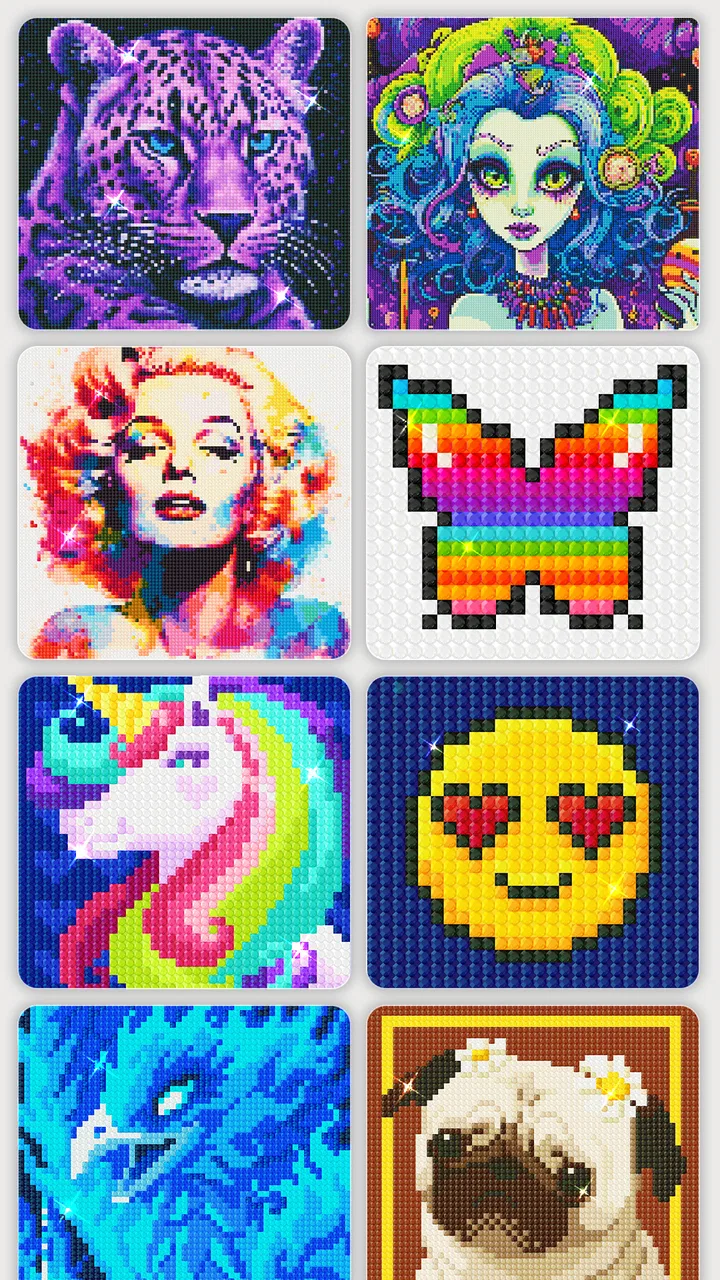
Diamond Painting by Number is the kind of art and design app I open when I want a quiet activity rather than another demanding game. It turns the familiar diamond-painting craft into a touch-screen routine: choose a picture, match colors to numbered spaces, and place the tiny digital pieces until the image comes together. I found the basic idea immediately understandable, even without previous experience with diamond painting.
That simplicity is the main attraction, but it is also important to understand what this app is and is not. It is not a drawing studio, a photo editor, or a replacement for physical diamond painting kits. The pleasure comes from following a prepared pattern and watching a picture become complete. If you enjoy coloring apps but want a more structured, repetitive process, this is a strong fit. If you want to sketch freely or control every part of an image, you will probably find it restrictive.
How the numbered artwork feels in everyday use
My first impression of Diamond Painting by Number was that it removes the intimidating part of the hobby. A physical canvas can involve sorting drills, protecting the work area, and keeping track of several colors. Here, the screen presents the task in a much cleaner form. I can focus on locating the highlighted areas and tapping them without preparing a table or handling small pieces.
You May Also Like

 Blood Strike: 2.5 Anniversary
Blood Strike’s Loadouts Turn Every Drop Into a Tactical Gamble
A close look at Blood Strike’s custom loadouts: how fast access to signature weapons reshapes its battle royale rhythm, rewards preparation, and narrows the gap between fights.

 Pandora - Music & Podcasts
Pandora’s Music Is Easy to Start, but Harder to Recover
Pandora’s strength is its low-effort path from a seed to a station. Its weak spot is how much confidence it asks you to place in connection, setup, and quiet recovery.

 8 Ball Pool
 Is Built on Rivalries, Rematches, and Routine
A close look at the rivalries, rematches, shared routines, and unanswered safety questions that turn a quick pool match into a persistent mobile community.

 Samsung Music
’s Quiet Strength Is Playing What You Already Own
Its reach comes less from spectacle than from dependable access to a personal library. That simplicity is both the app’s strongest retention engine and its ceiling.

 AccuWeather: Weather Radar
AccuWeather Review: A Quick, Clear Forecast for Everyday Decisions
For everyday plans, the best forecast is the one you can understand quickly. AccuWeather makes rain timing, radar, and local conditions easy to act on, with a few trade-offs.

 Hill Climb Racing
Why Hill Climb Racing Still Turns Crashes Into One More Run
A tiny car, a bumpy hill and one more upgrade: Hill Climb Racing keeps resurfacing because its simple chaos makes every near-miss feel personal.
More From Our News Desk



The store summary describes the app as approachable for novices, and that matches my experience. The numbered structure gives me a clear next action instead of asking me to decide what to draw. That makes it suitable for a short break, a calm evening, or a moment when I want something engaging but not mentally heavy. The app’s free entry also makes it easy to try before deciding whether the style suits me, although optional in-app purchases range from $0.99 to $49.99 per item.
The most satisfying part is the gradual change in the image. At the beginning, a picture can look like a collection of empty shapes. After working through a few areas, the composition becomes easier to recognize, and the repeated taps feel purposeful. I would not call the process artistically expressive in the same way as drawing with a stylus, but it does provide a clear sense of progress.
Why the beginner-friendly design works
The numbered approach is helpful because it limits decision fatigue. Instead of scanning a whole image and wondering where to begin, I can follow the current color or highlighted section. This is especially useful for someone who likes puzzles but does not usually consider themselves creative. There is no pressure to invent an image, choose a palette, or produce a technically impressive result.
A useful habit is to work in small zones rather than trying to finish a picture in one sitting. I found that this makes the activity feel less repetitive and reduces the chance of tapping around randomly. Completing a recognizable section, such as a background patch or a small object, gives a better stopping point than simply quitting halfway through a large area.
Another practical tip is to use a larger screen when possible. On a phone, details can require more careful zooming and finger placement, particularly in dense parts of an image. A smaller display keeps the app portable, but it can make precision less comfortable. I would choose a tablet for longer sessions and a phone for quick, casual use.
Where connectivity becomes part of the experience
The activity itself feels self-contained while I am working on the visible canvas, but the broader experience can still depend on the app’s connection to online services. Artwork selection, content loading, updates, and purchase-related functions are the moments where connectivity matters most. I would not plan a trip around assuming every part of the catalog will be available without a connection, because that behavior is not something I would treat as guaranteed.
This distinction is easy to miss. A user may think, “It is just a coloring activity, so it must work anywhere.” In practice, a digital art catalog can involve content that needs to load, refresh, or validate. My advice is to open the app and prepare the picture before entering a place with unreliable service. That small step can prevent the frustrating situation of having free time but being unable to reach the artwork you wanted.
Connectivity also affects how smoothly the app fits into a daily routine. At home on a dependable network, browsing and starting a session feels straightforward. In a basement, on public transport, or in a crowded venue, the experience may be less predictable if the next image or related service needs to communicate with the network. The painting mechanic is calming; waiting for content is not.
Good mobile situations and awkward ones
I think the app is best suited to mobile contexts where I can give it a few uninterrupted minutes. A coffee break, a waiting room, or a quiet part of a commute can work well, provided the needed content is already available. The short, repetitive actions make it easier to pause than a traditional game with a live match or a story that demands constant attention.
It is less comfortable when I am walking, standing on a moving bus, or trying to use the phone with one hand while carrying something. Precision matters more than the relaxed concept suggests, and accidental taps become more likely when the screen is moving. I would treat it as a seated activity rather than a truly hands-free time filler.
There is also a difference between using it for relaxation and using it to fill every spare second. The repeated placement can become soothing, but long sessions may feel monotonous if I am not invested in the chosen picture. I recommend switching images or stopping after a completed area instead of forcing myself through a design that no longer holds my attention.
For families, the Everyone content rating makes the app broadly approachable. Still, younger users may need guidance around purchases, especially because the app is free to install while offering paid items. The age rating tells me the subject matter is suitable for a general audience; it does not remove the need for ordinary device-level purchase awareness.
What happens when loading or progress goes wrong
Any app built around digital artwork can feel more fragile when content fails to appear or a session is interrupted. My practical approach is to avoid closing the app immediately after a problem. I first wait briefly, check the connection, and return to the selected artwork if the interface allows it. Reopening the app is the next sensible step, particularly after switching between a weak mobile signal and Wi-Fi.
I also prefer to complete a small section before changing networks or putting the phone into a low-power state. This is not because I expect a particular failure every time, but because short completed segments are easier to recover from than a long session left in an uncertain state. The best digital habit here is modest: do not assume that an interrupted screen means the entire activity has been lost, and do not repeatedly tap while the app is still responding.
When the problem is content access rather than touch input, patience matters. A network hiccup can look like a missing picture, a stalled transition, or an empty area that later fills in. I would give the app a moment, then retry once rather than repeatedly switching screens. If the same issue continues, I would move to a more stable connection before spending time troubleshooting.
This is also where the app differs from a physical kit. A real canvas never needs a server response to show the next section, although it brings its own mess and storage problems. Diamond Painting by Number is cleaner and easier to carry, but it trades some physical reliability for dependence on the phone, the operating system, and whatever connection is needed for content-related actions.
Keeping the experience considerate of mobile data
If I were using the app regularly on a limited mobile plan, I would make Wi-Fi my default for browsing and preparing artwork. The safest data-conscious workflow is to open the app at home, choose what I want to work on, and avoid casually scrolling through large amounts of content while away from Wi-Fi. This keeps the relaxing part of the experience from becoming an unexpected data-management task.
I would also avoid treating every available image as something I need to inspect immediately. Choosing one picture and spending time completing it is more satisfying than continuously browsing. It reduces unnecessary loading and gives the app a clearer purpose. The same habit helps with battery use: fewer repeated transitions and less constant browsing generally make for a calmer session.
Purchase awareness belongs in this conversation too. Since the app is free but includes paid items, I would review the device’s purchase controls before handing the phone to a child or letting someone else explore the catalog. The displayed price range is wide enough that casual tapping should not be treated as harmless. I prefer to decide in advance whether I am staying with the free experience or considering an optional purchase.
Privacy and connectivity are also reasons to keep expectations realistic. I would use the app as an entertainment and art activity, not as a place to store sensitive personal material. There is no reason to enter private information simply to enjoy numbered artwork. A cautious user can enjoy the app while keeping network access, purchasing, and personal data separate from the creative routine.
How it compares with familiar alternatives
Compared with a standard coloring app, this one gives me more structure. Traditional coloring often leaves the choice of color and placement entirely in my hands, which is enjoyable when I want freedom but can feel like work when I am tired. The numbered format is better for a guided, low-decision session. The trade-off is that I have less room for personal interpretation.
Compared with a drawing app, the difference is even clearer. Drawing tools reward experimentation, brush control, and original composition. Diamond Painting by Number rewards patience, visual matching, and completion. I would choose a drawing app for making a card or practicing a technique; I would choose this one when I want a finished-looking image without needing to create the image myself.
Compared with physical diamond painting, the app wins on portability and cleanliness. There are no loose pieces to spill, no adhesive canvas to protect, and no need to reserve a work surface. It is a convenient way to sample the rhythm of the hobby. Physical kits remain better for anyone who values texture, hand feel, and a finished object they can keep outside a screen.
Compared with a conventional puzzle game, the app is gentler and usually less competitive in spirit. I can focus on a picture rather than a score or a timer. That makes it a good choice before bed for some people, although the phone screen itself may not fit every bedtime routine. If I need stronger challenge, strategy, or changing objectives, I would look elsewhere.
Who should try it, and who should skip it
I would recommend this app to beginners who like visual progress, repetitive tasks, and simple touch controls. It is also a reasonable choice for people who enjoy coloring but want the app to guide their decisions. The broad age rating makes it approachable for shared family use, as long as adults handle purchase settings responsibly.
I would be more cautious recommending it to artists seeking creative control. The numbered canvas tells you where to place the pieces, so the result is shaped by the prepared design rather than by your own drawing decisions. Users who dislike repetition may also lose interest once the novelty of filling spaces fades.
It is not my first choice for someone who needs a dependable activity in areas with very poor connectivity. In that situation, a physical coloring book or a clearly offline-focused alternative is safer. I would also choose a conventional art app for a user who wants layers, brushes, freehand marks, or the ability to import and transform personal artwork.
What the current app profile tells me
Creative APPS has built a product that has reached a substantial audience: it has more than five million installs, an average rating of 4.6 from around sixteen thousand ratings, and hundreds of written reviews. Those figures suggest that the straightforward numbered-art concept works for many people, though popularity does not remove the limitations around repetition, screen size, optional purchases, or connectivity.
The app was released on May 18, 2022, and the current version is 6.8.0. It runs on Android 5.1 or later, which gives it a relatively broad compatibility range for Android users with older devices. I would still keep the operating system and available storage in mind before installing, particularly on a phone that is already crowded with apps.
The free price is a useful starting point because I can test the interaction without committing money first. At the same time, “free” should not be confused with “everything is included.” The optional items can reach $49.99, so I would make any purchase deliberately and check which part of the experience it changes before confirming it.
My practical routine for getting more from it
When I want the smoothest session, I use a stable connection to open the app, select a picture, and then settle into one manageable area. I keep the phone still, zoom only when precision requires it, and avoid racing through the numbers. This approach makes the app feel less like repetitive tapping and more like a small visual project.
I also use completion points as natural breaks. Finishing a color group or a recognizable section gives me a sense of closure, while stopping in the middle of a dense area can make the next session feel less inviting. If the picture starts to feel dull, changing designs is better than assuming the entire app has become boring.
For a shared device, I would create a simple rule: explore freely, but ask before selecting anything that carries a price. For a limited data plan, I would browse on Wi-Fi and avoid unnecessary catalog scrolling away from home. For unreliable service, I would prepare the artwork before leaving and keep expectations modest about reaching new content.
These small choices address the app’s real trade-offs. They do not turn it into a fully offline tool, a professional drawing suite, or a physical craft kit. They simply make the experience more predictable and help the relaxing part remain the focus.
My final view on its connected, portable format
Diamond Painting by Number succeeds because it makes a familiar craft easy to start. I like that the numbered structure removes the pressure to be inventive, while the gradual image-building gives each session a visible purpose. The free entry, Everyone rating, and broad Android compatibility make it approachable, and its established audience supports the impression that the concept has lasting appeal.
Its weaknesses are just as clear. The activity can become repetitive, small phone screens are not ideal for detailed areas, and the app should not be treated as guaranteed to provide every content-related function without a network. Optional purchases also deserve attention, especially on a shared device. These are manageable issues, but they matter when choosing it for travel, children, or limited-data use.
My verdict is positive for anyone who wants a guided digital craft rather than a full art toolkit. I would recommend trying it during a quiet break, preferably after preparing the artwork on a dependable connection. The best reason to use it is its calm, low-pressure sense of progress; the main reason to choose something else is a need for offline certainty or genuine artistic freedom. For the right user, that balance makes this a pleasant little art companion rather than just another repetitive tapping app.
FAQs for Diamond Painting by Number
01What is Diamond Painting by Number?
Diamond Painting by Number is a creative app that allows users to engage in a relaxing and artistic activity by painting images with virtual diamonds. Each section of the image is assigned a number corresponding to a color, which users fill in to complete the artwork. It's a digital twist on the popular diamond painting hobby.
02Is Diamond Painting by Number free to use?
The app offers a free version with a variety of images available to paint. However, there are in-app purchases that provide access to a wider selection of images, premium features, and an ad-free experience. Users can choose to upgrade based on their preferences and desired content.
03How does the app enhance the painting experience?
Diamond Painting by Number incorporates features like zoom, hints, and color highlights to make painting more enjoyable and accessible. The app's intuitive interface and smooth navigation allow users to focus on the creative process, making it suitable for both beginners and seasoned digital artists.
04Can I save and share my completed artworks?
Yes, the app allows users to save their completed diamond paintings to their device's gallery. Additionally, there is an option to share your artwork directly on social media platforms or with friends, making it easy to showcase your creativity and progress.
05Are there regular updates with new content?
The developers frequently update Diamond Painting by Number with new images and features to keep the app fresh and engaging. Users can expect regular additions to the library, ensuring there's always something new to paint and explore. Updates often include seasonal themes and special collections.
Pros
- Easy-to-use interface for beginners.
- Wide variety of designs to choose from.
- Relaxing and stress-relieving activity.
- Offline mode available for convenience.
- Regular updates with new patterns.
Cons
- Contains ads that can be intrusive.
- In-app purchases can be pricey.
- Limited free designs available.
- No social sharing options.
- Occasional app crashes reported.

Diamond Painting by Number
Gallery